Disney World Mobile Order: Complete Guide to Skipping the Line
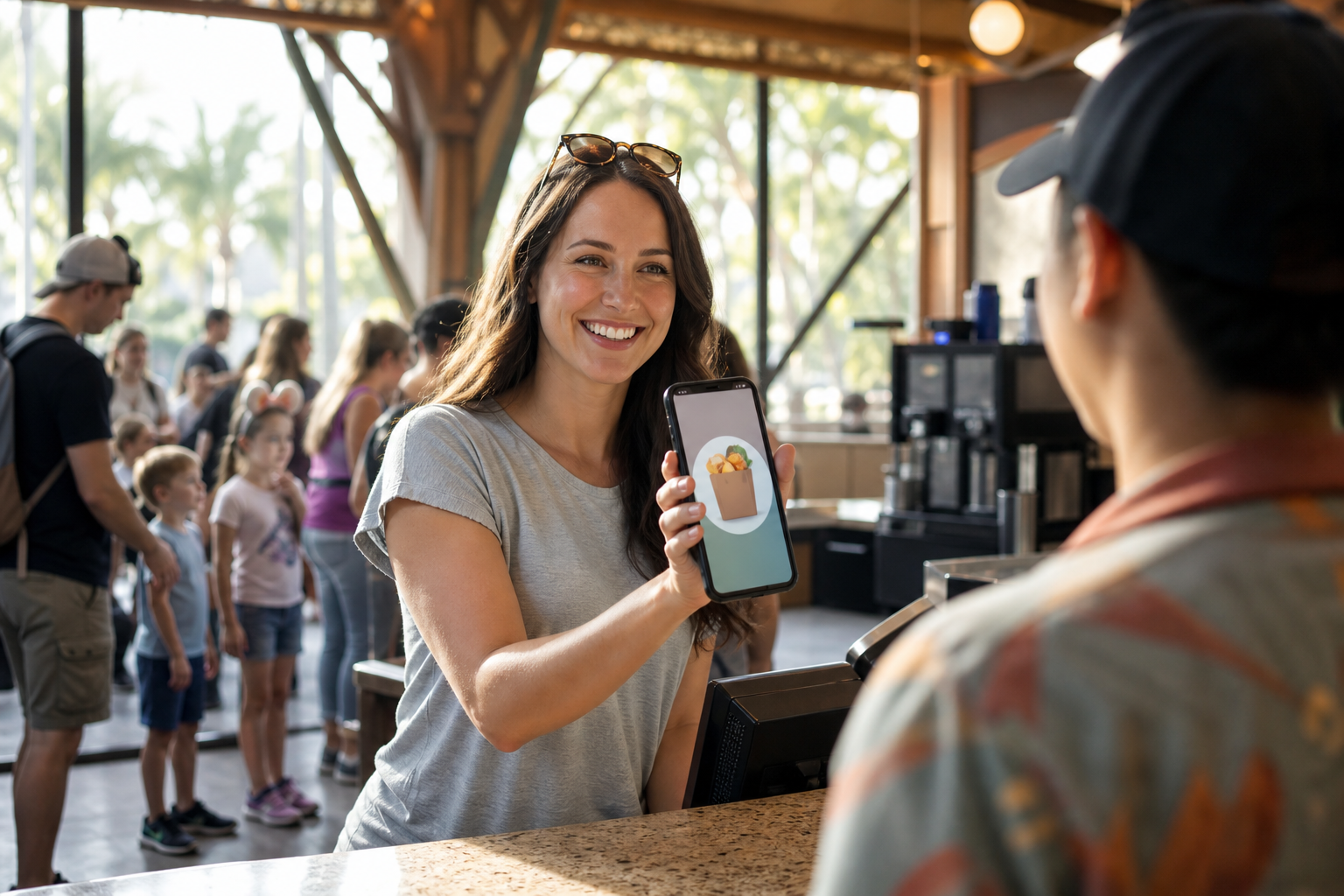
Mobile order at Disney World lets you browse menus, pay, and request pickup from any quick-service restaurant directly inside the My Disney Experience app — all without standing in a traditional ordering line. You select your food, choose an arrival window, tap “I’m Here” when you arrive, and pick up your order at a dedicated mobile order window. We’ve tested this across every Walt Disney World park and it consistently saves 15–30 minutes per meal compared to walking up to a register during peak hours.
Whether you’re squeezing lunch between rides at Magic Kingdom or grabbing a mid-afternoon snack at EPCOT’s World Showcase, mobile order is one of the most underutilized time-savers in Disney World’s toolkit. Once you understand how the system actually works — including the quirks that trip up first-timers — it becomes second nature by day two of your trip.
This guide walks you through every step of placing a mobile order, which restaurants participate park by park, how to use it with the Disney Dining Plan, and the common mistakes that cause people to wait longer than they need to.
How Mobile Order Works at Disney World
Disney World’s mobile ordering system lives inside the My Disney Experience app (available on iOS and Android). The concept is straightforward: you order and pay in advance, then arrive at the restaurant during a short pickup window.
Here’s the complete flow:
| Step | What You Do |
|---|---|
| 1. Open the app | Tap “Order Food” from the home screen or find the restaurant on the map |
| 2. Browse the menu | Full menu with photos, descriptions, and allergy filters |
| 3. Customize your items | Modify proteins, sides, toppings, and add special requests |
| 4. Add to cart and pay | Link a credit card, Disney gift card, or Dining Plan credits |
| 5. Select an arrival window | Choose a 30-minute window that works for your schedule |
| 6. Tap “I’m Here” | When you physically arrive at the restaurant, tap the button |
| 7. Pick up your order | Head to the dedicated mobile order pickup area (usually a separate counter or window) |
The “I’m Here” button is the piece that confuses most guests on their first try. You do not tap it when you place the order — you tap it only when you’ve physically walked to the restaurant. Disney’s system doesn’t prepare your food until you signal your arrival, which keeps orders hot and reduces waste.
Once you tap “I’m Here,” most orders are ready within 3–7 minutes. You’ll receive a push notification when your food is prepared.
Which Restaurants Accept Mobile Order at Disney World
Mobile order is available at nearly all quick-service restaurants across Walt Disney World’s four theme parks, Disney Springs, and several resort food courts. Sit-down table-service restaurants do not participate — mobile order is exclusively for counter-service locations.
Magic Kingdom
- Columbia Harbour House
- Cosmic Ray’s Starlight Cafe
- Pecos Bill Tall Tale Inn and Cafe
- Pinocchio Village Haus
- Friar’s Nook (snack kiosk)
- Storybook Treats (snack kiosk)
- Tortuga Tavern
- The Lunching Pad
EPCOT
- Connections Cafe and Eatery
- Regal Eagle Smokehouse
- Sunshine Seasons (Land Pavilion)
- Tangerine Cafe (Morocco)
- Katsura Grill (Japan)
- Lotus Blossom Cafe (China)
- Sommerfest (Germany)
- Yorkshire County Fish Shop (United Kingdom)
- Les Halles Boulangerie-Patisserie (France)
- Crepes des Chefs de France
- Refreshment Port
Hollywood Studios
- ABC Commissary
- Backlot Express
- Docking Bay 7 Food and Cargo (Star Wars: Galaxy’s Edge)
- Ronto Roasters
- Woody’s Lunch Box
- The Trolley Car Cafe
Animal Kingdom
- Flame Tree Barbecue
- Harambe Market
- Restaurantosaurus
- Satu’li Canteen
- Yak & Yeti Local Food Cafes
- Pongu Pongu (snack/beverage kiosk)
Disney adds and occasionally removes locations — the My Disney Experience app always reflects the current participating list, so check there the morning of your visit.
Step-by-Step: How to Place a Mobile Order
During our visit to Hollywood Studios, we walked through this process on a busy Saturday in March. Here’s exactly what to expect.
Before You Leave Your Hotel
Opening the app before you’re hungry is the single best tip we can give. During peak seasons (spring break, summer, holiday weeks), arrival windows at popular restaurants fill up fast — sometimes within the first 30–60 minutes of park opening. If you wait until 1 p.m. to think about lunch, you may find yourself locked into a 3:30–4:00 p.m. window at Satu’li Canteen.
Pro move: Before you enter the park each morning, open My Disney Experience, navigate to “Order Food,” and scan the arrival window availability at the restaurants you’re considering. You can place orders and select windows without being near the restaurant. Reserve your window, then go ride.
Placing the Order
- Open My Disney Experience on your phone.
- Tap the hamburger menu (three lines) at the bottom right, then tap “Order Food.”
- Alternatively, tap any quick-service restaurant on the park map and look for the “Order Food” button on its detail page.
- Browse the menu and tap items to add them to your cart. Customization options appear immediately — allergy modifications (gluten-free, dairy-free, etc.) are available on most items.
- When your cart is ready, tap “Review Order” then “Place Order.”
- Select your arrival window — these are shown as 30-minute blocks. Choose one that aligns with when you actually plan to eat.
- Confirm payment. You can pay with a linked credit/debit card, a Disney gift card, Apple Pay, or Dining Plan credits (more on that below).
The “I’m Here” Window
Once you’ve placed your order, it lives in the “Active Orders” section of the app. When you physically walk to the restaurant, tap “I’m Here, Prepare My Order.” This triggers the kitchen.
A few important details about this step:
- You have a 30-minute arrival window. If you don’t tap “I’m Here” within that window, your order is cancelled and you’re refunded. You’ll need to place a new order.
- If you arrive a few minutes before your window opens, the app usually lets you tap early — especially during slower periods.
- If you miss your window because of a ride delay or a longer-than-expected wait, don’t panic. In our experience, cast members at the pickup counter have discretion to honor late arrivals. Ask politely.
Picking Up Your Order
After tapping “I’m Here,” you’ll get a push notification (typically within 3–7 minutes) telling you your food is ready. Head to the Mobile Order Pickup section of the restaurant — these are always clearly marked with signage and are physically separate from the walk-up ordering counter.
Show the notification on your phone if a cast member asks to verify, then collect your tray and find a table.
Mobile Order Tips That Save Real Time
Queue Multiple Orders Back-to-Back
If you have multiple meals planned — lunch at Flame Tree Barbecue and a late snack at Pongu Pongu — you can place both orders in the morning and select staggered arrival windows. The app lets you maintain multiple active orders simultaneously. This is especially useful for larger parties where one person can place all the orders while the rest of the group rides.
Order for the Whole Party From One Phone
You do not need multiple My Disney Experience accounts to order for a group. One person places the order, pays, and picks up. The app lets you add multiple items and customize each one individually. We’ve ordered for parties of eight without issue — just make sure whoever holds the phone stays with the group at pickup time.
Best Times to Order (and What to Avoid)
Disney’s mobile order windows tend to fill fastest between 11:30 a.m.–1:30 p.m. and 5:30–7:30 p.m. — traditional lunch and dinner rushes. If you can shift your meals outside those windows (eat lunch at 10:45 a.m. or 2:30 p.m.), you’ll find more immediate window availability and shorter actual pickup waits.
At extremely popular locations like Satu’li Canteen in Pandora or Woody’s Lunch Box in Toy Story Land, availability can disappear by 10 a.m. on busy days. Order early.
Connectivity Gotchas
Disney’s parks have good Wi-Fi coverage, but there are dead zones — particularly in queue interiors, certain show buildings, and parts of Animal Kingdom’s Asia section. If your app fails to load during the order process, move to an open outdoor area and try again. Disney’s official park Wi-Fi (the “Disney Parks” network) is free and usually more reliable than cellular in crowded areas.
Mobile Order and the Disney Dining Plan
If you’re on the Disney Dining Plan, mobile order fully supports dining credits — with one catch.
Quick-service credits work seamlessly. When you reach the payment step in the app, select “Disney Dining Plan” as your payment method. The app will deduct the appropriate number of quick-service meal credits from your linked reservation. Each quick-service credit typically covers an entree plus a non-alcoholic beverage (and sometimes a snack, depending on the plan tier).
Snack credits also work at kiosk locations that participate in mobile order, like Friar’s Nook at Magic Kingdom or Pongu Pongu at Animal Kingdom.
What mobile order does not handle automatically: splitting a single order across multiple payment methods (e.g., two credits plus a gift card for the remainder). If your order runs over your credit value, you can pay the difference with a card after tapping “I’m Here.”
For a full breakdown of how credits work, see our guide to how the Disney Dining Plan works and our analysis of whether the Dining Plan is worth it for your trip type.
Can You Mobile Order Alcoholic Beverages?
Yes — with an age verification step. Several quick-service locations that sell beer, wine, and cocktails (select EPCOT locations and some resort food courts) allow alcoholic beverage ordering through the app.
When you pick up an order that includes alcohol, a cast member will ask to see a valid photo ID before handing over the items. This happens at the pickup counter, not in the app — there’s no in-app age verification gate. Disney’s minimum drinking age is 21, consistent with Florida law.
Common Mobile Order Mistakes (and How to Avoid Them)
Tapping “I’m Here” from your hotel room. The system does not know where you physically are. If you tap while you’re still on a ride or back at your resort, the kitchen starts preparing your food immediately. By the time you arrive 20 minutes later, the food quality may have declined. Only tap when you’re within walking distance of the pickup counter.
Forgetting to check for dietary accommodations. The app’s allergy filter is useful but not exhaustive. If you have a serious food allergy (not just a preference), tap the “Special Request” or “Allergy” note field and also speak directly with a cast member at pickup. Disney’s official guidance is to inform a cast member verbally for any life-threatening allergen.
Assuming you’ll always save time. During extremely slow periods — say, a Tuesday morning in late January — the walk-up line at some quick-service locations may actually be shorter than waiting for a mobile order window. Mobile order saves the most time during peak meal hours on busy days.
Not having the app set up before arrival. Creating a My Disney Experience account, linking your tickets, and setting up a payment method takes 10–15 minutes — time you don’t want to spend at 10:30 a.m. when the good arrival windows are disappearing. Set up the app at home before your trip.
Tracking Availability Across All Disney Dining
One of the trickiest parts of Disney dining isn’t mobile order itself — it’s knowing which restaurants have availability right now, whether that’s a mobile order window slot, a table-service opening, or a walk-up wait that’s actually manageable.
The MagicTable app (available on iOS) tracks live wait times and availability signals across Disney dining, so you can see at a glance which mobile order windows are filling and where you should pivot. If Satu’li Canteen’s next available window is 4:30 p.m. and you’re hungry now, MagicTable surfaces nearby alternatives with open windows. It’s the tool we use to plan meals on the fly rather than committing to a single plan in the morning.
Making Dining Reservations vs. Mobile Order
Mobile order and Advance Dining Reservations (ADRs) serve different needs. Mobile order is for quick-service counter locations — no reservation required, no sit-down service, pickup in minutes. ADRs are for table-service restaurants where a host seats you.
If you’re deciding between a table-service meal and a mobile order lunch, our guide to making Disney dining reservations walks through the ADR booking process, the 60-day booking window, and which table-service restaurants are worth the advance planning.
For busy days when you want maximum flexibility — and want to spend as little time as possible standing in any line — mobile order at a well-chosen quick-service spot is often the right call.
Quick Reference: Mobile Order at a Glance
| Topic | Key Detail |
|---|---|
| Where to order | My Disney Experience app → “Order Food” |
| Arrival window length | 30 minutes |
| Time from “I’m Here” to pickup | Typically 3–7 minutes |
| Payment options | Credit/debit card, Disney gift card, Apple Pay, Dining Plan credits |
| Alcoholic beverages | Available at select locations; ID required at pickup |
| Dietary modifications | Available in-app; verbally confirm severe allergies at counter |
| Number of simultaneous orders | Multiple allowed |
| Does it work at table-service restaurants | No — counter-service only |
The Bottom Line
Disney World’s mobile order system is genuinely one of the best tools the parks offer, and it costs nothing beyond the price of your meal. The learning curve is minimal — once you’ve placed one order and navigated the “I’m Here” button, you’ll use it for every quick-service meal without thinking twice.
The key habits that separate guests who love mobile order from those who find it frustrating: order early (before you’re hungry), tap “I’m Here” only when you’re physically at the restaurant, and keep the My Disney Experience app set up with payment info before you walk through the gate. Do those three things and you’ll spend more time on rides and less time in line — which is the whole point.
Never Miss a Disney Reservation
MagicTable monitors availability and alerts you the instant a table opens up at your favorite restaurants. Set it and forget it.